
Welcome Back! Upgrades and Changes on Focusattack.com
Mar 26th 2026
JUMP TO:
Focusattack.com temporarily closed its online storefront March 25 through 27 in order to upgrade its online storefront backend to a newer version of the BigCommerce platform. We're happy to announce that we're back and fully operational!
2X FA Reward Bonus!

Now through March 31, get double rewards for every dollar you spend at focusattack.com, as thanks for your support! If you're an existing customer, be sure to login to your account and follow the instructions to reset your password. If you're a new customer with us, you can simply register for a new account to receive FA Rewards benefits - it's free! Have questions about FA.Rewards? Click here for info (opens new tab/window).
What happened to unshipped orders during that period?
Orders made before March 25 were processed by our staff. All outstanding orders should have shipped, and you shoud have received a notification when your order was completed and shipped. That said, if you did not receive a message about your order and have already checked your spam folder, please get in touch with our customer support team.
Are there any changes I should be aware of?
We took great effort to keep much of the shopping experience the same as before. That said, there are some adjustments to signing in, restock notifications, and store presentation:
Please Peset Your Account Password.
As a security measure, the storefront does not allow us to port passwords from the old site backend to the new one. After the store reopening, attempting to login for the first time will present you with a message asking you to reset your password. To reset your password, click "Forgot your password?"
The store will send an email with instructions to reset your password. Please note that it may take a few minutes for the email to arrive, and this email will likely end up in your spam folder. Before contacting us about a missing reset message, please make sure to check your email account's spam folder.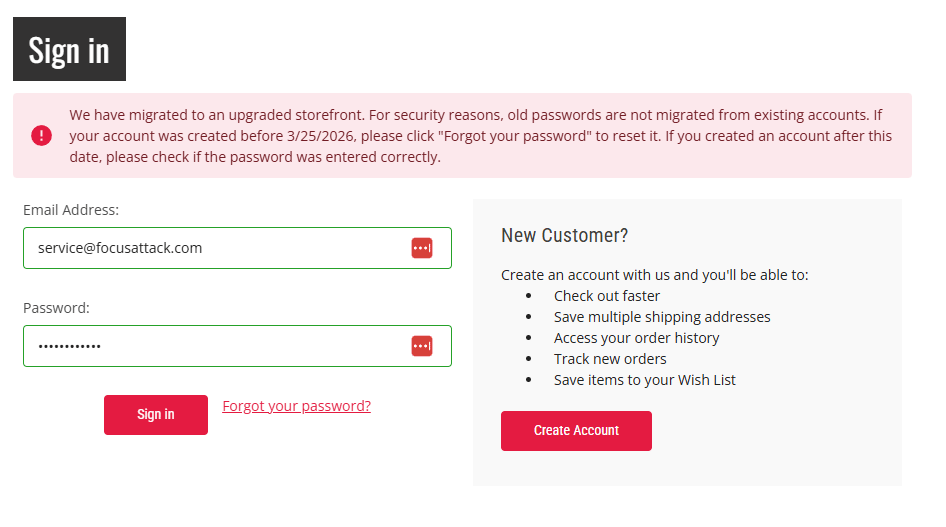
If you visit checkout before logging in, you will receive a similar message. 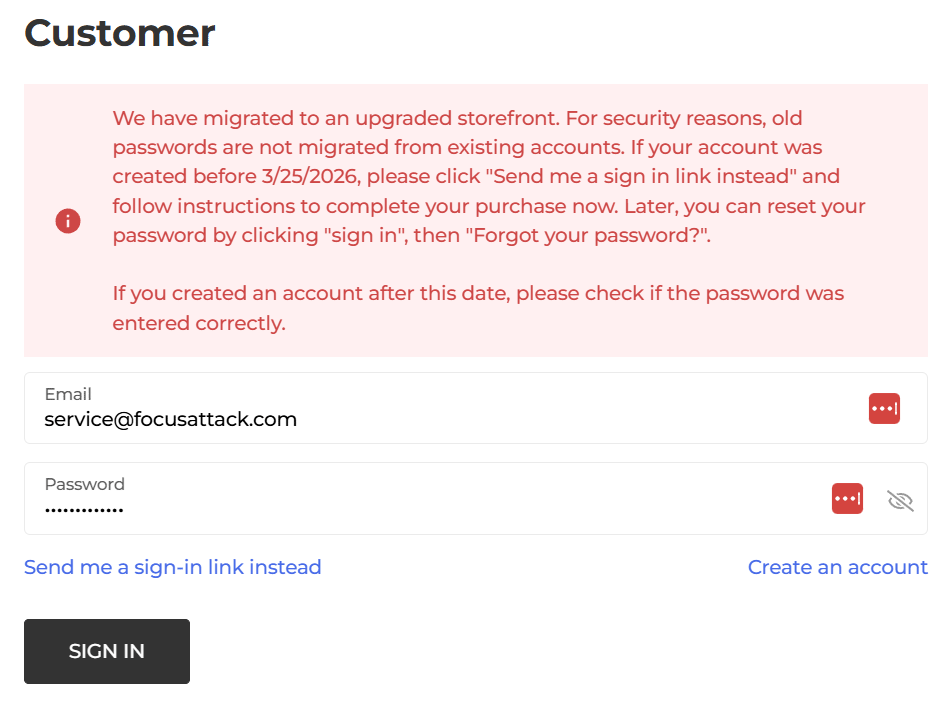
To complete your purchase, you can click "Send me a sign-in" link instead. The system will email a secure link to access your account information for checkout. Alternatively, you can return to your shopping cart and reset your password by clicking "Sign In" and then "Forgot your password?".
The store will send an email with instructions to reset your password. Please note that it may take a few minutes for the email to arrive, and this email will likely end up in your spam folder. Before contacting us about a missing reset message, please make sure to check your email account's spam folder.
Can I Use the Same Password as Before?
Yes - because we will have no record of your previous password, using the same password is permissible.
What if I Registered after March 25, 2026?
If you are a new customer that has registered after March 25, you can ignore this as you created an account under our new storefront.
Order IDs for Past Orders are Different
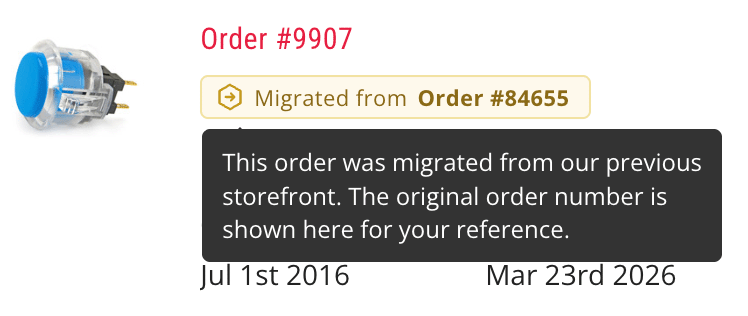
Our storefront backend requires that new order IDs are created when porting one's order history. This means that the ID you had for a prior order is different under the new store. To address this, we've implemented a system that shows you what the previous order ID was at the older storefront. You can use it when asking customer service a question, or submitting a new return request.
Orders placed after 3/24/2026 will have a more recent order ID, such as 410---. This higher number represents our order count up to that date.
All Stock Notification Alerts are Reset
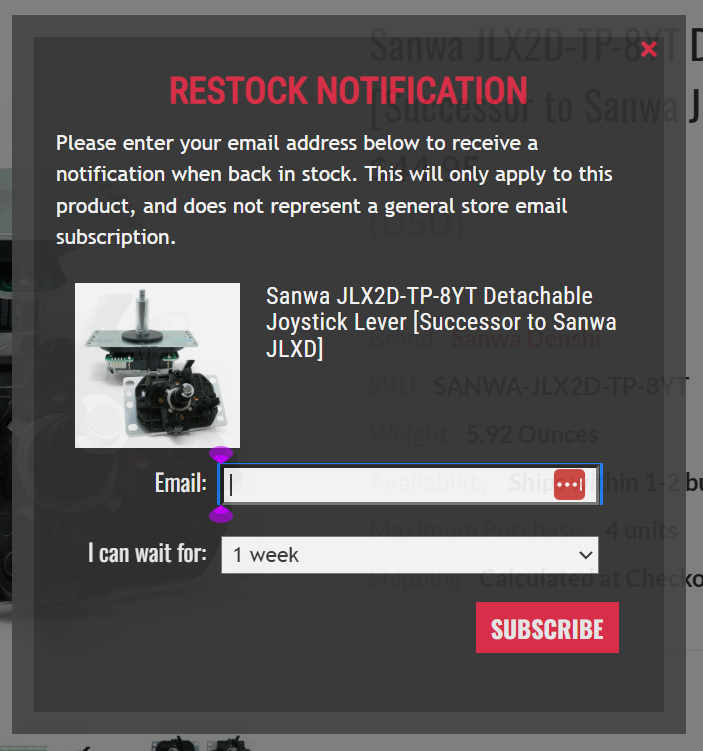
If you had subscribed to receive a restock update of a certain product that is out of stock, you will need to resubscribe.
We're working to restock outstanding inventory as well. Thanks for your patience on that!
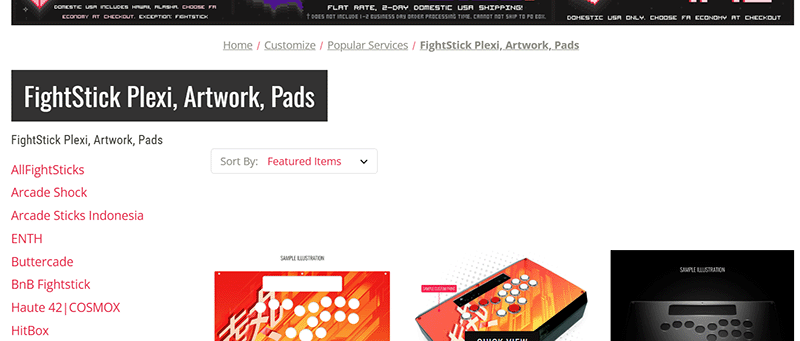
Site Navigation Includes Categories at Left Side
A small update to the category navigation will include links to subcategories on the left side of the page in addition to the top under the site header.
I appreciate your patience. If you have any issues completing a transaction after the store has reopened, please feel free to send us a message using the form located at the bottom left of this page. You can also send an email to orders@focusattack.com.
Thanks!

Jaleel Beck
Final Boss