What is Officially Branded Fightstick Artwork?
May 3rd 2026
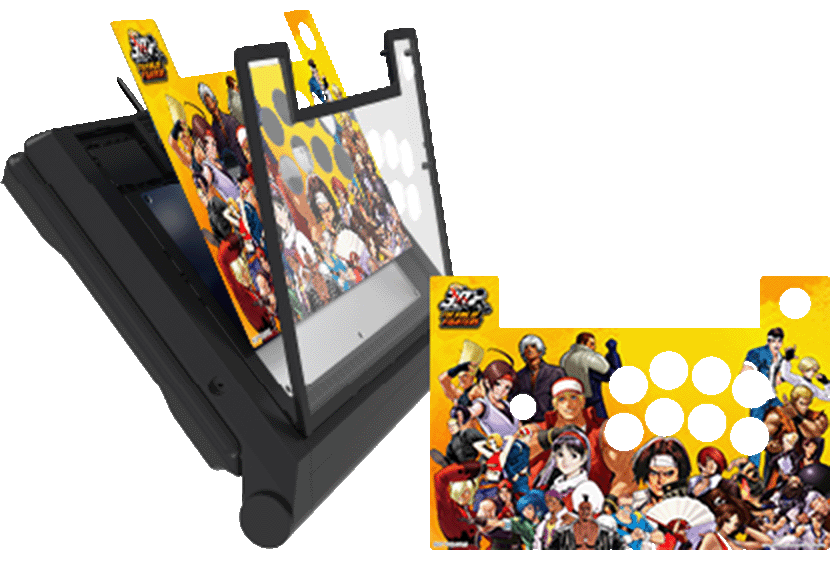
Fightstick manufacturers like Hori and Mad Catz often release official artwork for fans to download and install. These licensed designs celebrate specific game titles and are a great way to personalize your hardware for a new release.
Occasionally, customers submit these artworks to us for printing and die cutting. These are often formatted as PDF or "Postscript Document Format". In this blog, we'll discuss the following:
- How to send officially branded PDFs
- Why we suggest avoiding PDFs for personal art
- Better ways to send your personal designs
- Common fix-its for officially branded artwork layouts
How We Accept PDF Format
Fightstick manufacturers commonly offer branded Fightstick artwork in Postscript Document Format (PDF). This format allows them to present these illustrations in resolutions that are great for printing, and can be opened by most computers.
On our website, we provide two options to submit artwork. Use the second option to upload the PDF file.
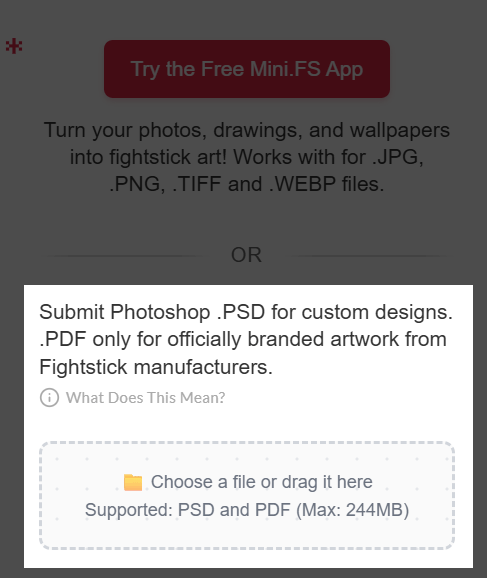 You can choose additional customization options, then add this item to your shopping cart.
Avoid PDFs for Personal Art
We see this format pop up for personal artwork every now and then, but it can actually be a bit of a headache for our printers! It often leads to order delays, so here’s a quick breakdown of why we recommend a different path:
- In most cases, the original format of the artwork is not PDF. It is instead JPEG, PNG, or WEBP.
- Converting your file to a PDF can "bake" the template layers right into your artwork. Since we need to remove those templates before printing, merged layers might put your order on a temporary hold while we ask you for a quick fix.
- If you upload your art without a template, our design team will use their best judgment to get it ready for the die-cutter. Please keep in mind that we won’t offer a free reprint if the final look isn't quite what you expected - you waive that right when you don't use a template. To get it exactly right, we always recommend using a template or our free online app, Mini.FS Studio!
What Can You Do Instead of Submitting a PDF?
Handy with Graphic or Design Apps?
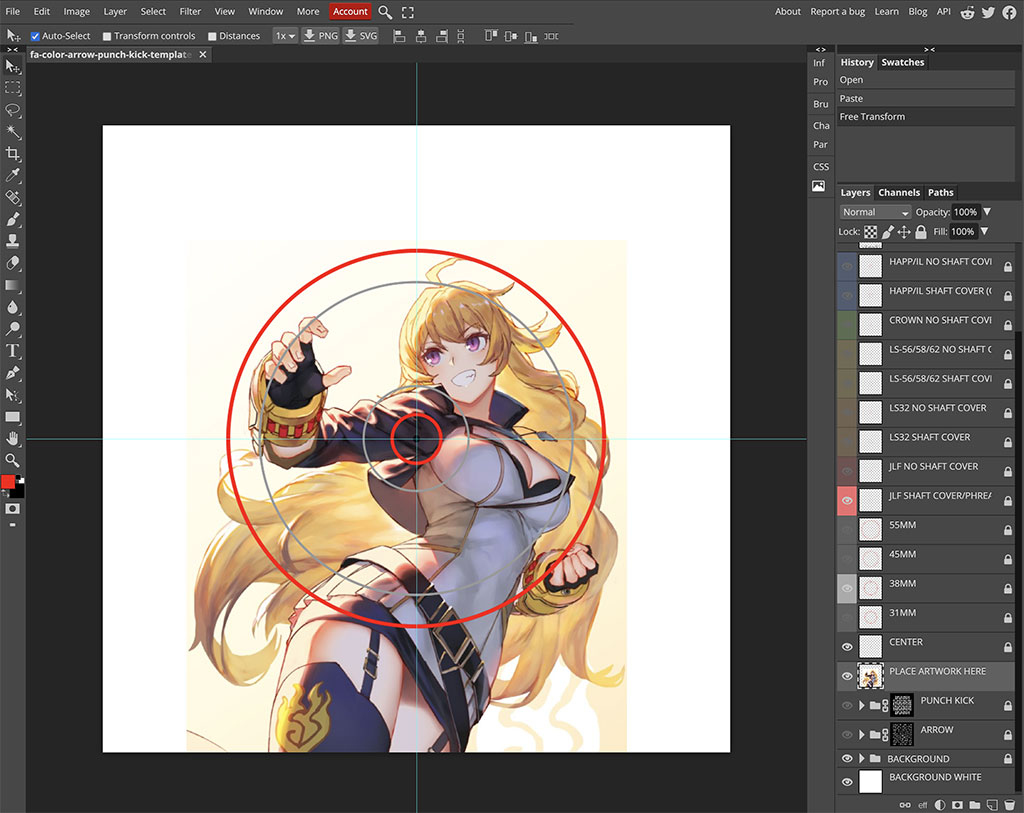
If you know your way around desktop applications such as Adobe Photoshop, or free alternatives such as Photopea or GIMP, you can download our templates in Photoshop format.
Using a template gives you the most control over your design. You can preview how things look and take your time to get it right. You can then save or export your artwork in Photoshop PSD format, which is great for our printers as we can then remove specific template layers before printing and die cutting - a necessary process to ensure everything looks its best.
Templates are available for every Fightstick model we cover, and located in each product listing. Alternatively, you can find our templates in our support portal. 
Just have a Photo, Drawing, or Desktop Wallpaper?
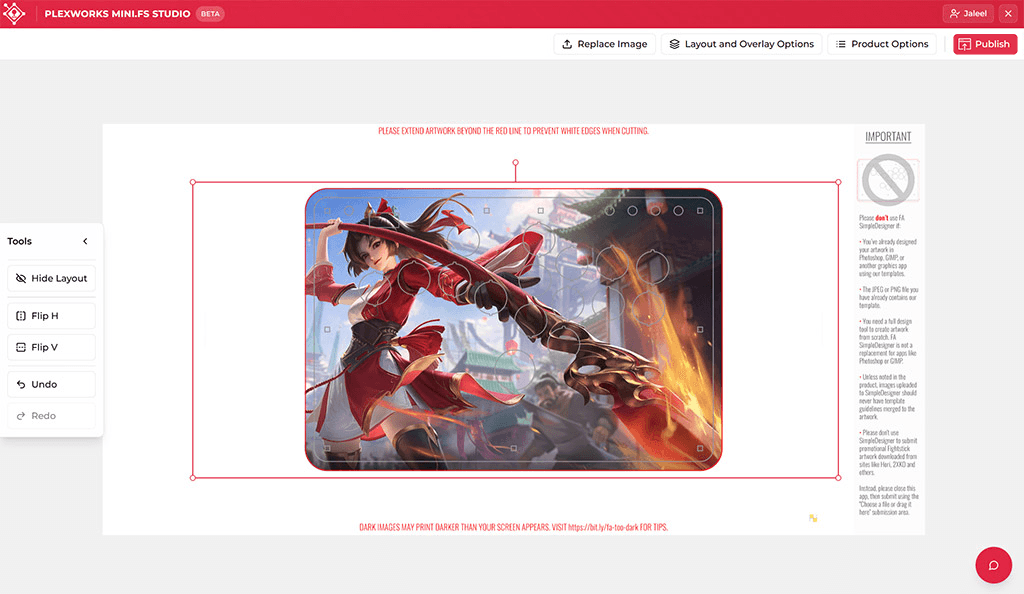
For single-image projects that don't have layers, check out our free Mini.FS Studio App! It works on both desktop and mobile browsers and accepts all standard formats (.JPG, .PNG, .TIFF, and .WEBP). Use our virtual canvas to tweak your layout—resize, rotate, or flip—so your die-cut artwork looks exactly how you imagined.
Drop by our support page to learn how Mini.FS Studio works
Compatibility Notes
Some Fightstick manufacturers may provide their artworks in a way that are not suitable for print and cut services that we offer. If we run into them, we'll explain what is compatible, with an explanation if one service cannot be performed. Here is the list so far:
- Hori Alpha Street Fighter 6
- Hori Alpha Tekken 8
- Hori Alpha King of Fighters 30th Anniversary
Street Fighter 6 for Hori Alpha: Print Only
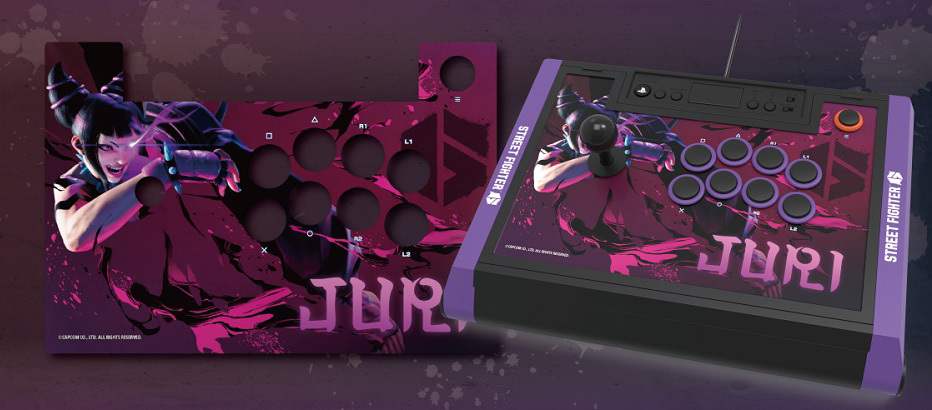
The official Hori Alpha Street Fighter 6 artwork print has registration marks that cannot be removed. We need to remove them so they don't appear on the print. Thus, we cannot offer the print and cut service. If you still wish to have the official Hori Alpha Street Figter 6 artwork printed, you can use our Custom Artwork Print-Only service. This service will present you with a printout of the artwork, which you can then cut yourself using an exacto knife or similar tool.