





Please Read Before Purchasing
Please consider the following topics with this model of Wingman device:
- Please make certain to update the firmware. The latest firmware may not be installed on the device as Brook may have released newer firmware after the product was shipped to retailers.
- Not all brands and models of Fightsticks are supported at launch. Please check specifications for currently supported fightsticks.
- No Wingman devices support SOCD cleaning on their own - your Fightstick must offer its own SOCD cleaning functionality.
- Please do not consider buying just to resell. Brook makes products like these widely available to the public after launch.
Brook, designers of this generation's multi-console PCBs and converters continue to evolve their line of Super Converters. The Wingman FGC 2 is the very first converter to offer native PS5 control for more than fighting games.
Versatile Multi-Console Wired and Wireless Controller to Native PS4 and PS5!
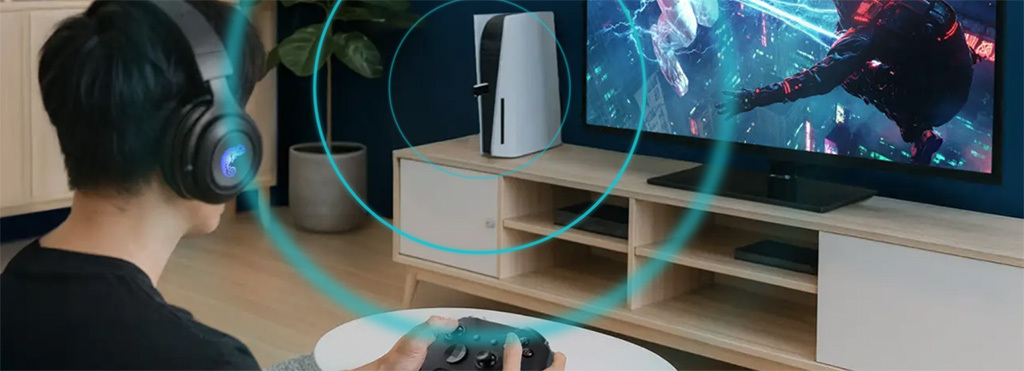
The Wingman P5 offers compatibility with a wide range of console gamepads, arcade sticks and controllers across Xbox 360, Xbox One, PS3, PS4, Nintendo Switch and Nintendo Switch 2. While the original Wingman FGC and FGC 2 model supported wired joysticks/pads and "Legacy Fightstick mode", a mode that allowed for PS4 Fightsticks and Fightpads like control across unsupported devices, the Wingman P5 handles all PS4 and PS5 native titles and compatible across both wired and wireless controllers. PC control is X-Input.
How do I know if my Fightstick or Gamepad is supported?
Visit the official Brook product page for updated compatibility. Click "Specification" in the top right navigation. 
Full-Featured, Firmware Upgradeable
The Wingman P5 has several convenient features to improve the control experience.
- Accepts wired and wireless gamepads and fightsticks across Xbox, Playstation, Nintendo Switch and Nintendo Switch 2.
- Currently over 100 models are covered. View and download the current list here (PDF). Visit the official Brook product page for updated compatibility list.
- Configurable via Brook Converter Center app (Windows PC).
- Button remapping
- Macros
- Turbo
- Analog stick calibration
- Ability to hot-swap peripherals without unplugging the device from the console.
- Vibration, motion control (with select six-axis motion controllers) and touchpad emulation, support.
- Mappable buttons from peripheral to PS4, PS5
- Includes USB-A to USB-C adapter cable
- PC control via X-Input
In addition, the Brook Wingman FGC is firmware upgradeable, which can be used to improve functionality, and add new features. Firmware updates are performed by attaching your device to a Windows PC, or Mac (when applicable).
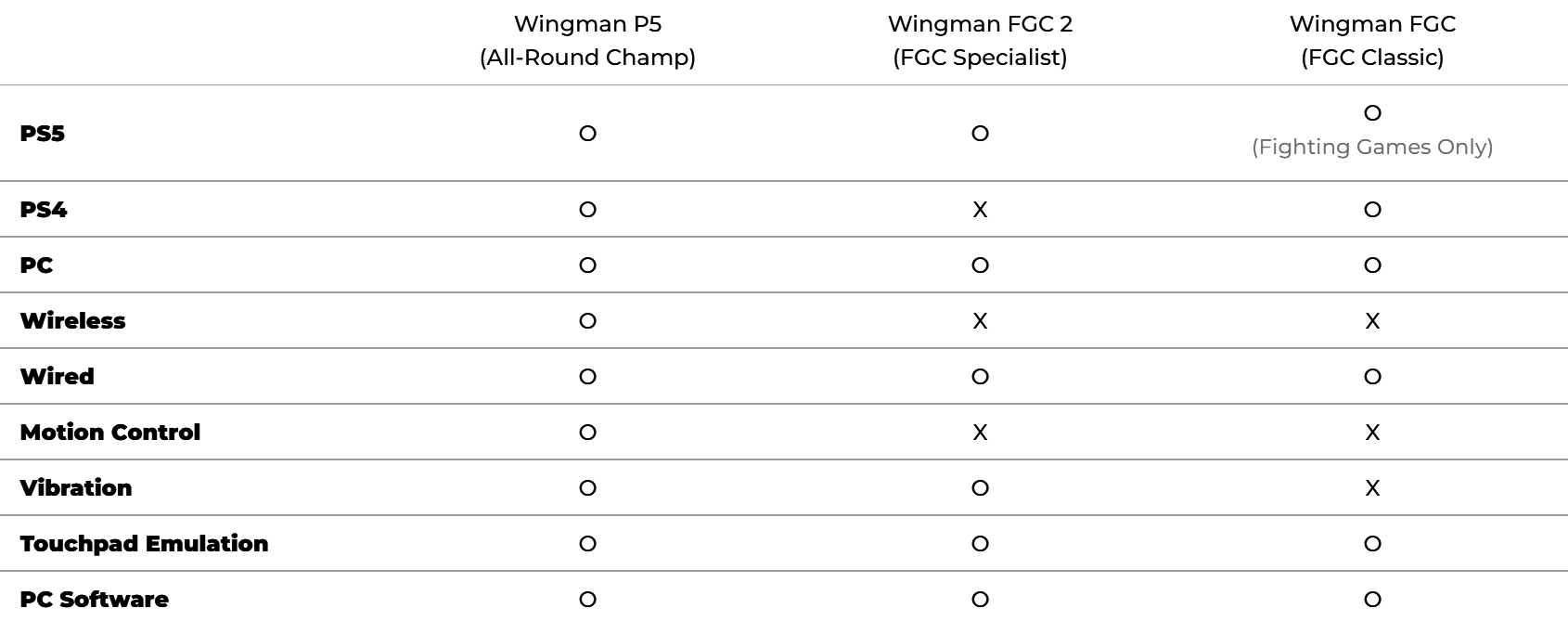
Differences between Wingman FGC and Wingman FGC2
The Brook Wingman P5 has several improvements from the original Wingman and Wingman FGC2:
%%Panel._Prod_Brook_EVORules%%
| Support |
FirmwareFirmware updates, plus update guide for the Wingman FGC are available via Brook's website. When you are purchasing for the first time, it is always worthwhile to check that you have the latest firmware installed for the device. Brook Converter CenterVisit here to download the Brook Converter Center app (Currently Windows Only) User GuideProduct details, such as LEDs and Button Mappings are available here. (PDF) Recommended SettingTo enjoy a smoother gaming experience on the PS5, we recommend the following settings.
|
This product hasn't received any reviews yet. Be the first to review this product!
Write a Review


